Hacking Science Learning: Building a Gen AI App with PartyRock
A practical walkthrough of creating an interactive science-learning app with PartyRock, prompt design, and no-code AI workflows.
Prompt pattern for concept simulation
You are a science tutor.
Concept: {{concept}}
Focus area: {{aspect}}

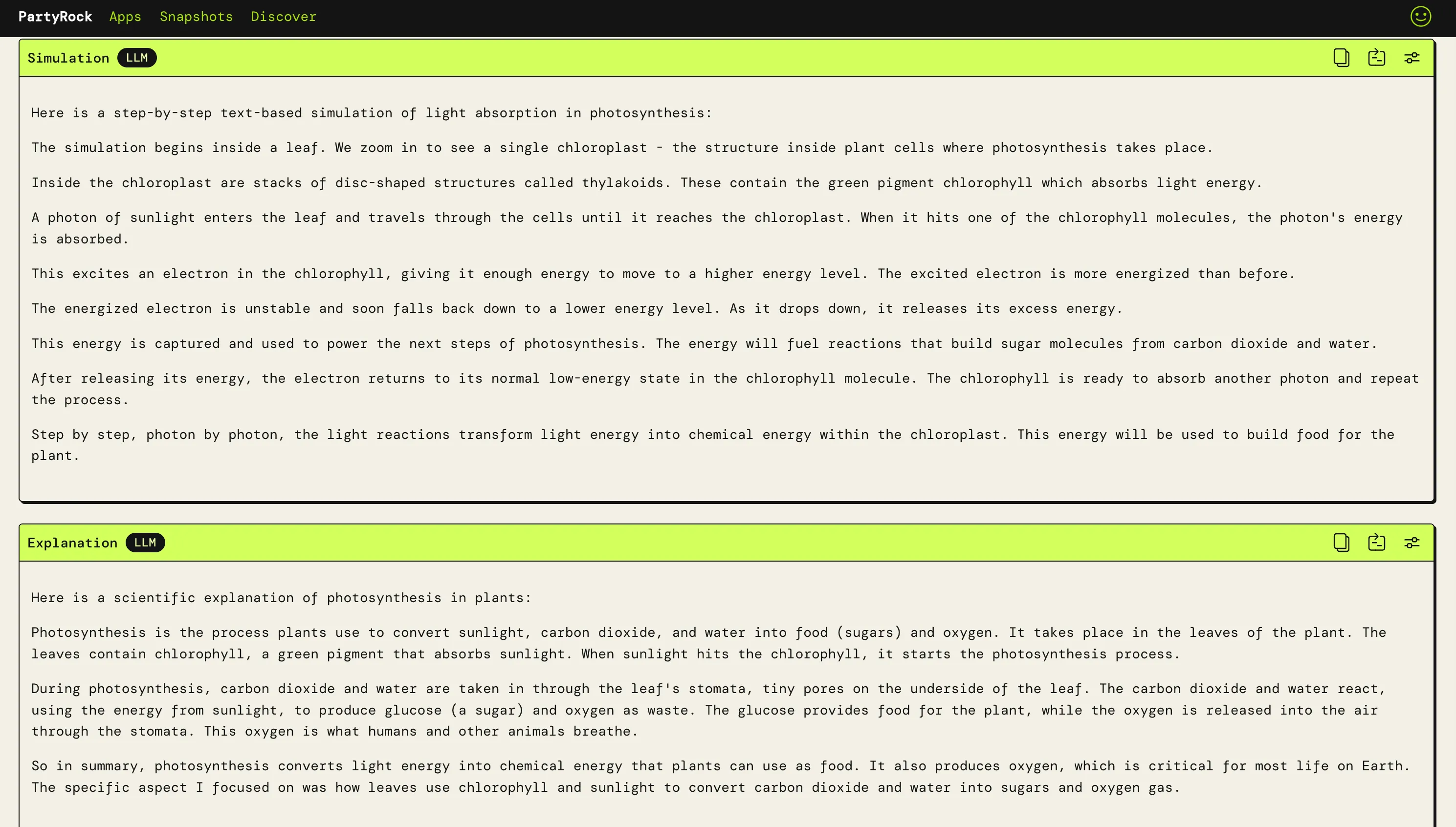
1) Generate a short text-based simulation in 4-6 steps.
2) Explain what happened in plain language for beginners.
3) Add one "Did you know?" fact.
4) Return concise output with clear headings.
Clear task framing helps no-code AI apps produce more consistent educational output.
Original publication
This post is adapted from the AWS Builder Center article: Hacking Science Learning: A Gen AI App Building with PartyRock!
Project goal
The project explored a simple idea: make science concepts easier to understand through interactive AI-generated simulations and plain-language explanations, without writing traditional application code.
Why PartyRock was a good fit
PartyRock enabled rapid prototyping through widgets and prompt-based behavior. Instead of backend setup and deployment work, the focus stayed on learning flow design:
- What the learner asks.
- How the model responds.
- How to keep outputs understandable and engaging.
Build flow
- Brainstorm app concepts for a learning-focused hackathon.
- Select an educational format with broad accessibility.
- Draft prompt templates for simulation and explanation.
- Assemble widgets in PartyRock for input, output, image, and chat.
- Iterate on prompt quality based on generated responses.
Core product pattern
The final app used a concept-plus-focus input model:
- Learner enters a concept like gravity, photosynthesis, or cell division.
- Learner narrows scope to a specific aspect.
- AI generates a stepwise simulation and explanation.
- Optional widgets provide visual generation and follow-up chat.
This structure keeps learning sessions focused and reduces cognitive overload for beginners.
Lessons from prompt engineering
- Specific instructions outperform broad requests.
- Output constraints improve consistency.
- Educational tone should avoid unnecessary jargon.
- Prompt iteration is part of product design, not only model tuning.
Limitations observed
The chatbot behavior was strongest when questions stayed aligned with the app context. Off-topic prompts produced weaker responses, which highlights the need for boundary prompts, context windows, and fallback guidance.
Practical takeaway
No-code AI builders are excellent for fast educational MVPs, especially when the value is interaction design and explanation quality rather than complex custom infrastructure.
Read more
For full screenshots, app links, and extended prompt examples, read the original publication:
Read the full PartyRock article on AWS Builder Center
Related posts
Weekend Agent Challenge: Dev Community Pulse Agent
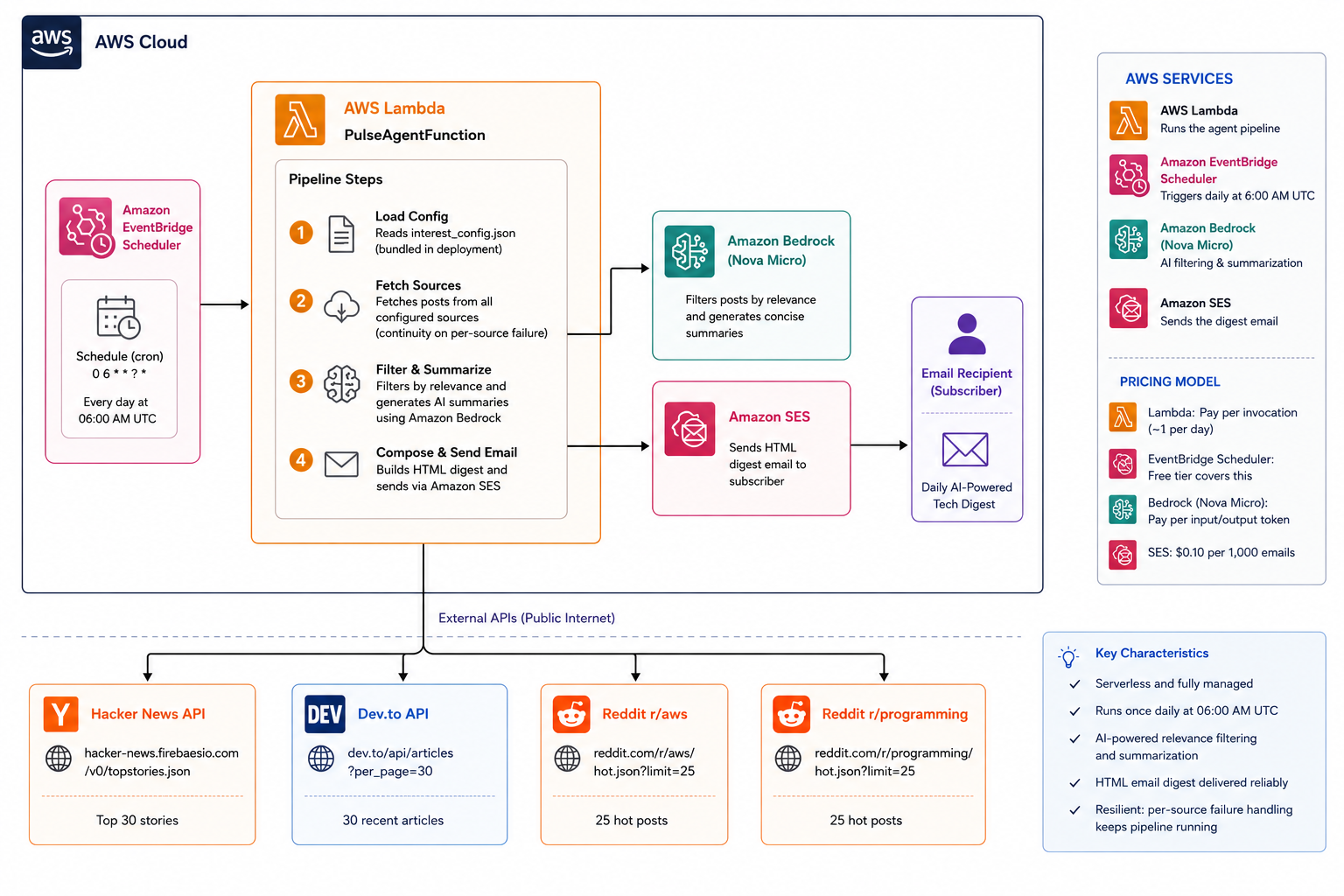
A weekend-built serverless AI agent that wake up at 6 AM, scans developer communities/news/posts, filters what matters with Amazon Bedrock, and delivers a curated digest by email.
Weekend Productivity Challenge: PriorityLens and AI-Driven Focus
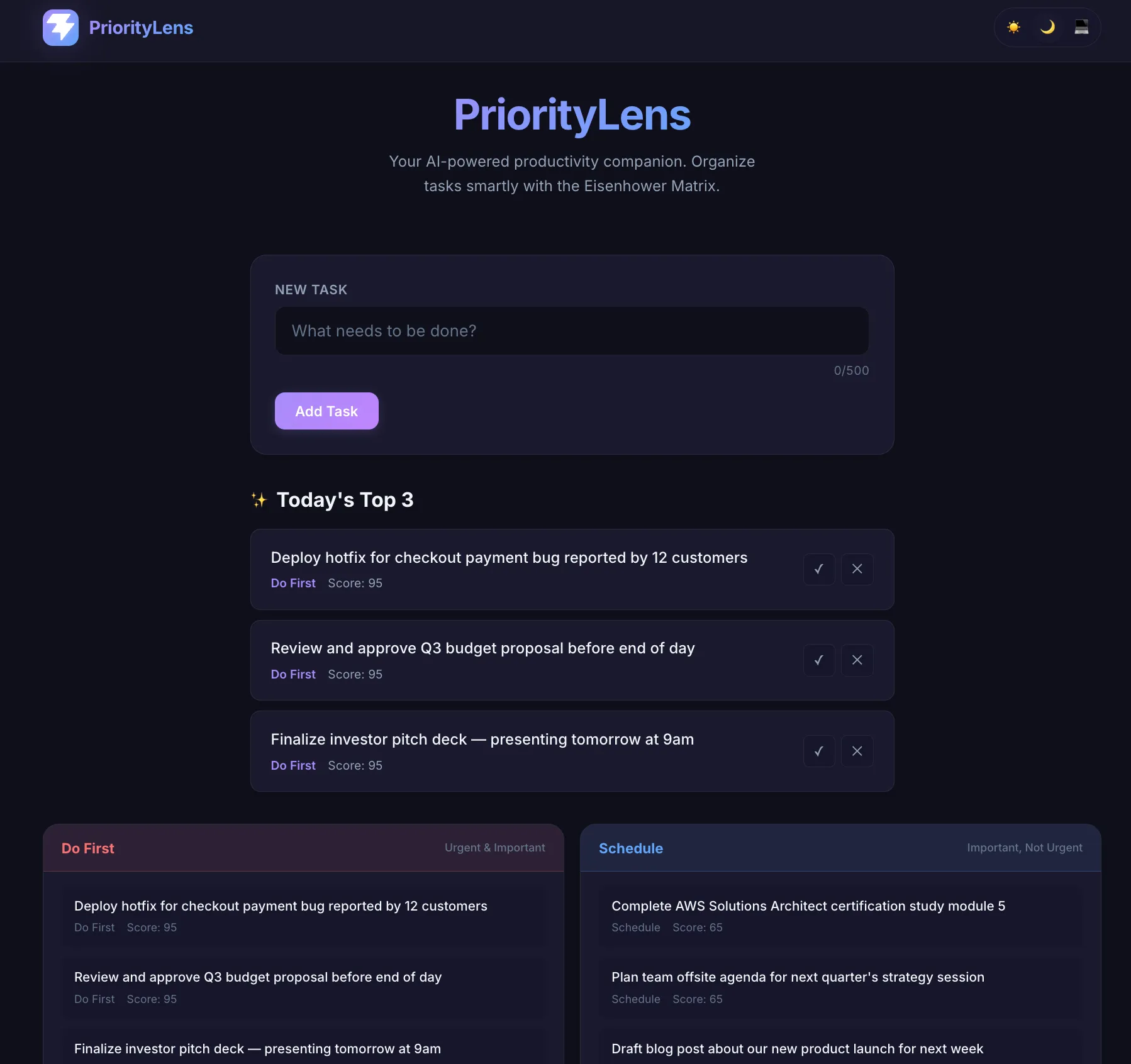
Building a serverless productivity app that uses Amazon Bedrock to classify tasks by urgency and importance, then suggest a practical daily top three.